Anaconda
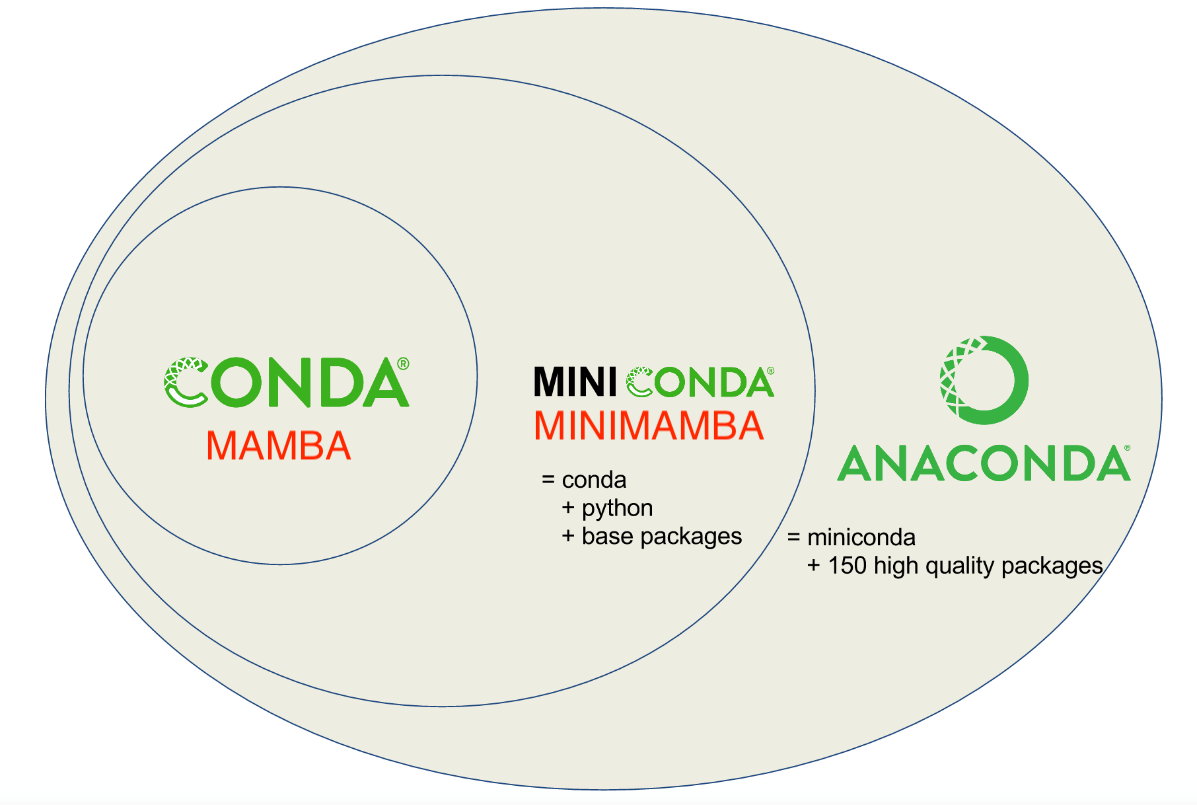
In order to maintain all of your packages correctly some form of environment control is required. Anaconda is a commonly used package manager, which takes care of organizing package management to reduce conflicts. Anaconda comes in multiple forms, the versions on Biowulf, Conda and Mamba, are somewhat interchangeable.
- Anaconda: The commercial version, comes with a graphical interface
- Conda: Anaconda but can run in terminal, allows access to other package channels
- Mamba: C++ reimplementation of Conda, a little faster
Install Conda/Mamba
Conda is easily installed on Biowulf by in terminal first by loading mamba_install then running mamba_install:
module load mamba_install
mamba_install --init-only --shell=bash /data/$USER/conda/
Now conda is accessible through terminal, activate Conda/Mamba with:
source myconda
This will need to be run each time you start a new interactive session on Biowulf. To have Conda/Mamba running each time you start a new implementation see the Biowulf in-depth guide. Now we are able to start creating Conda environments.
Create an Conda environment
Creating a new environment is relatively easy. It always starts with conda create -n env_name. If you want to packages as you create the environment, add a list of the package names (MAKING SURE THEY ARE THE CORRECT NAMES!):
conda create -n my_first_conda numpy scipy matplotlib seaborn biopython pysam ipykernal pandas
Activate your anaconda environment once everything is done installing with:
conda activate my_first_conda
Now you can run code, either interactively with python or as the environment of a snakemake rule. A good way to save your environment is by exporting to a .yaml (YAML Ain't Markup Language) file, which documents the versions of package in the current environment. Just make sure the desired Conda environment in activated in terminal first.
conda env export > my_first_conda.yaml
From a .yaml file anyone can replicate the environment. Unfortunately, code does break and change, so the environment you save may not be reproducible if a long period of time has passed since .yaml creation. To make a more permanent environment, see the tutorial for singularity containers.